Android installation guide
Install DroidDrop on Android
DroidDrop for Android is distributed directly from AppsNest. Because it is not installed from Google Play, Android may show an extra Play Protect warning during installation.
Install only the official download
Only install DroidDrop from the official AppsNest download page. Do not install APK files shared from unknown sources.
Do not disable Play Protect or turn off device security.
Installation steps
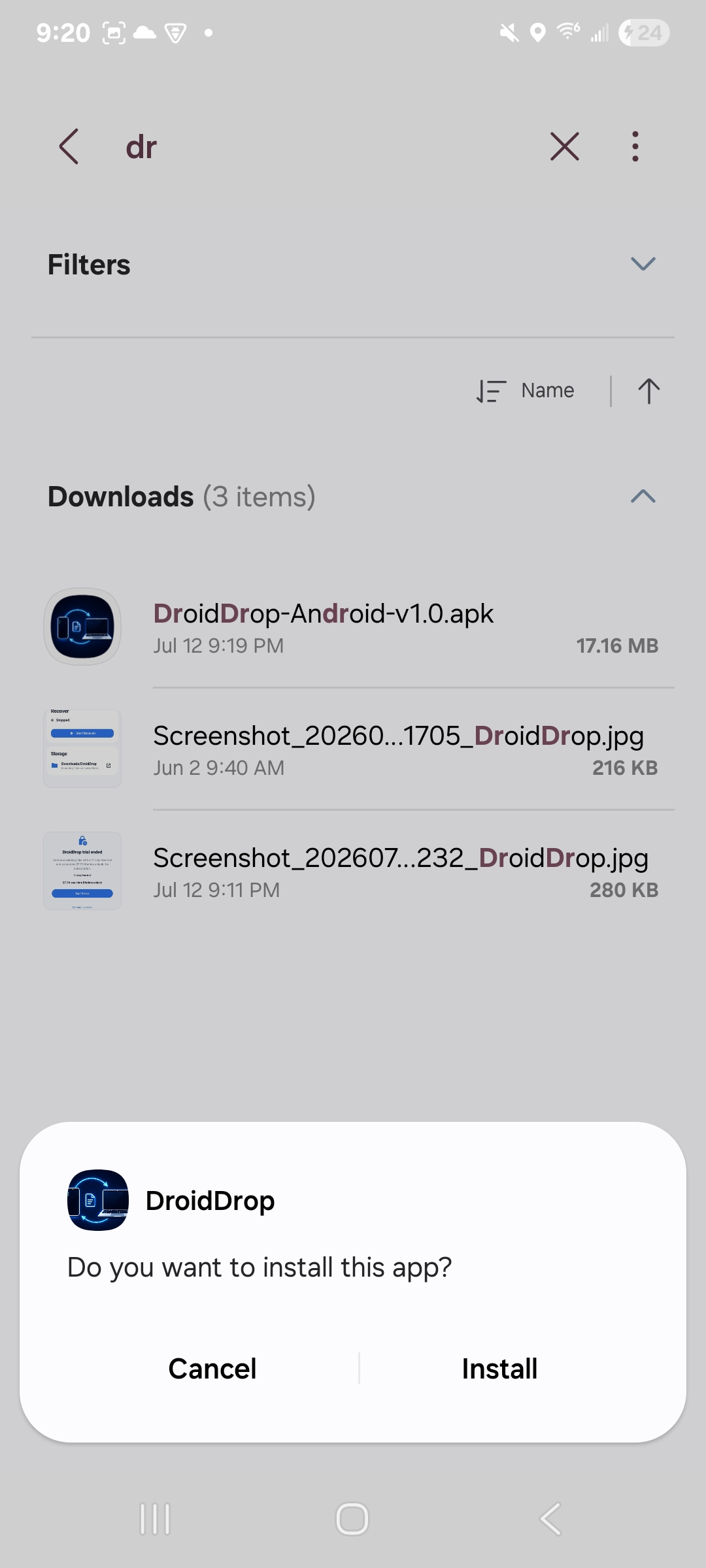
- Open the downloaded DroidDrop APK.
- Tap Install.
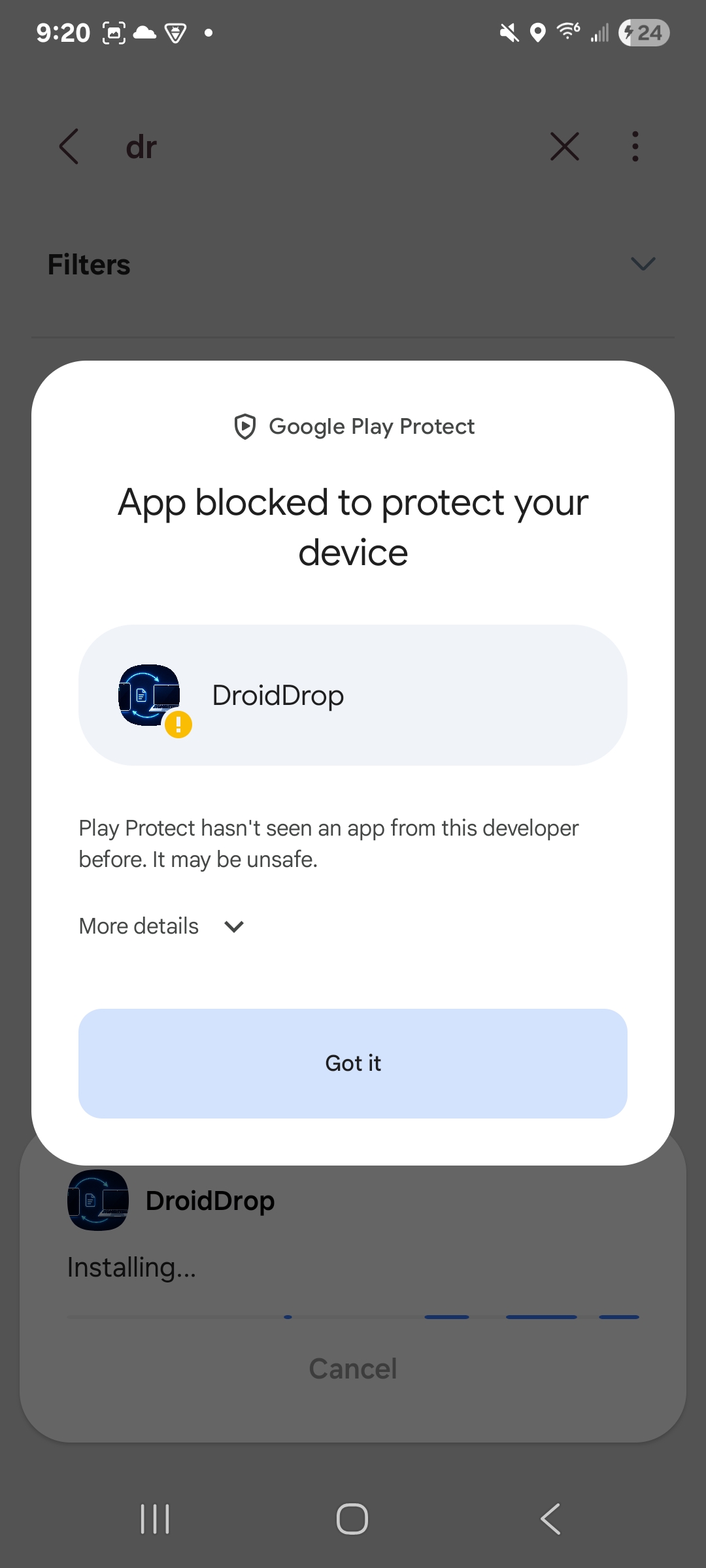
- If Google Play Protect shows “App blocked to protect your device,” tap More details.
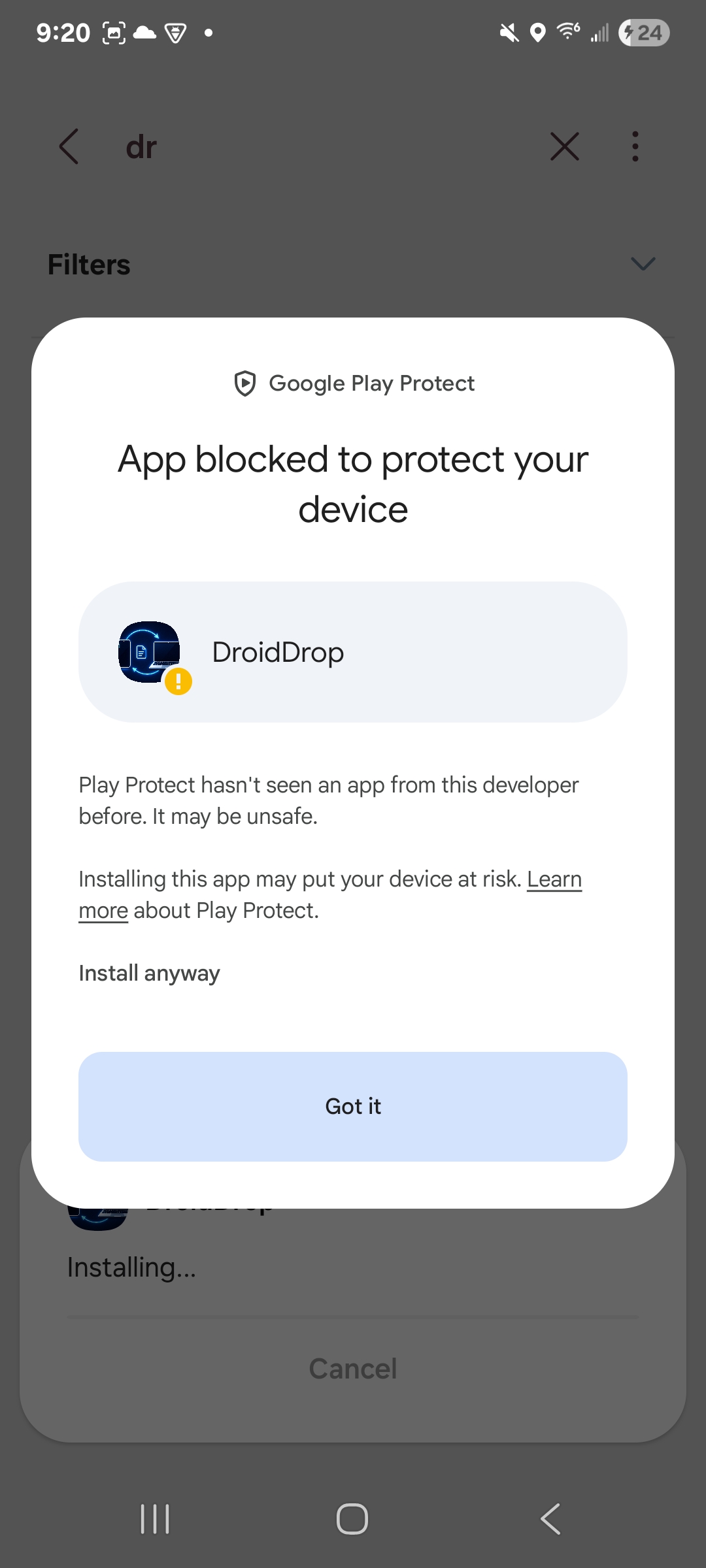
- Tap Install anyway.
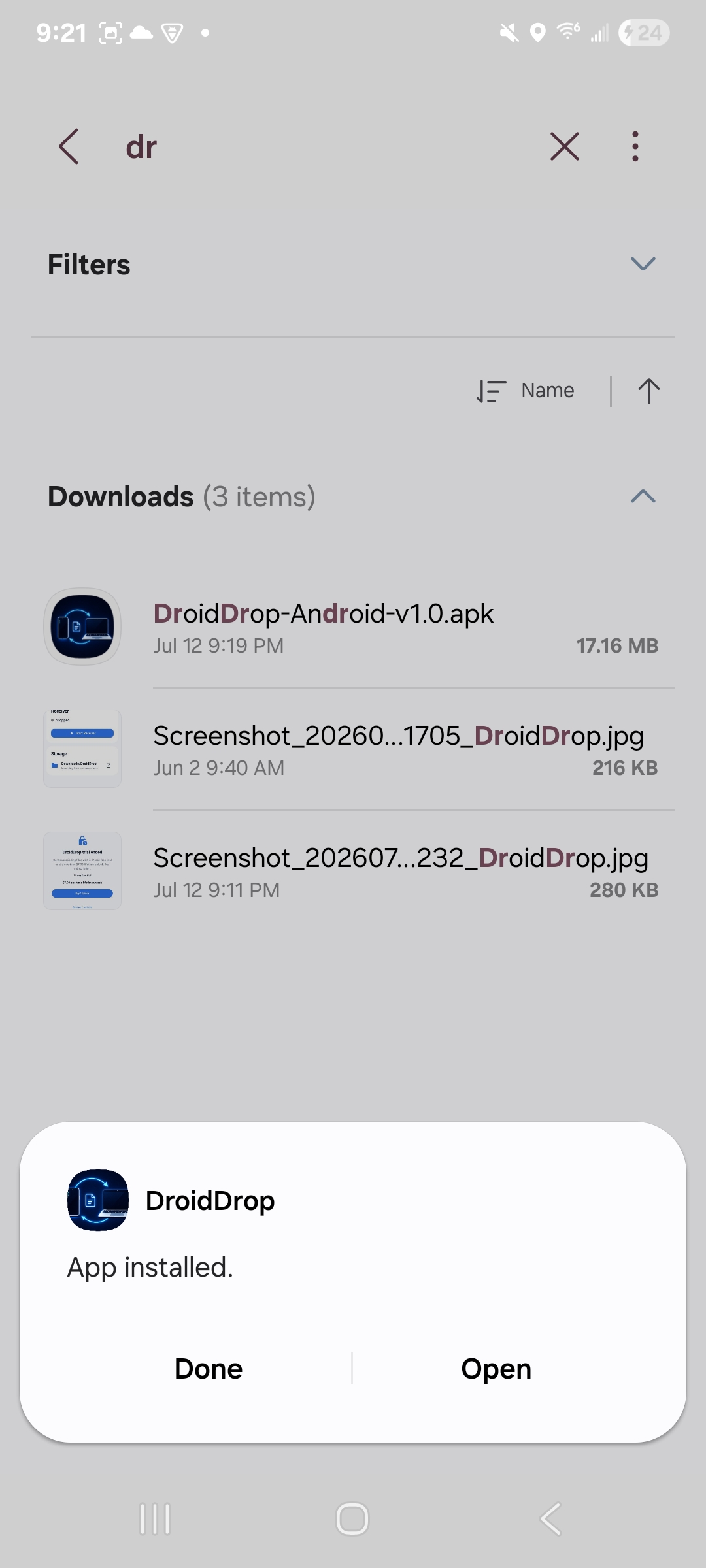
- When installation finishes, tap Open.
What you may see
Step 1
Step 2
Step 3
Step 4
Need the Android APK?
Download for AndroidDownload DroidDrop v1.0 from the official AppsNest release.